Getting Familiar with CoMapeo
CoMapeo Mobile at First Glance
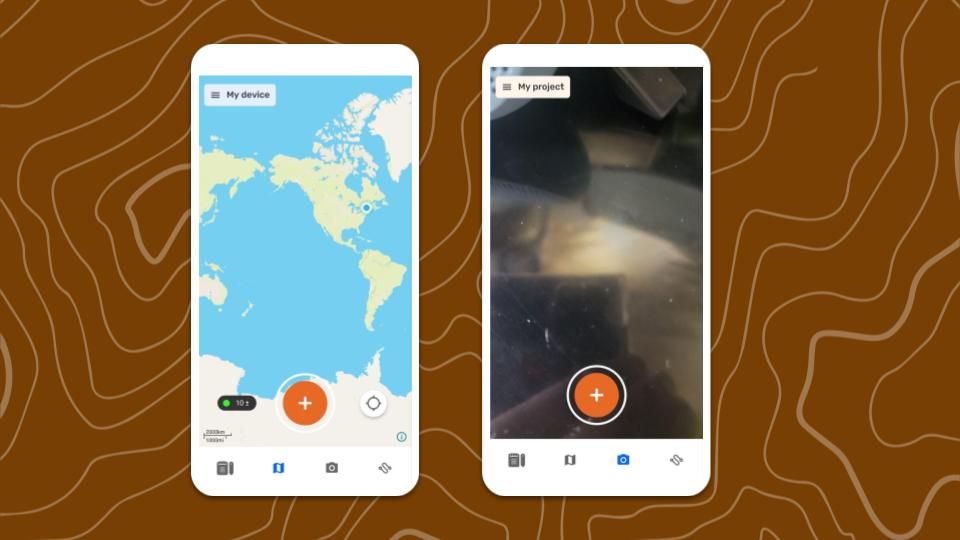
The primary view of CoMapeo is the  Map view with access to mapping features and the main menu. This is serves as the home screen when restarting CoMapeo onboarding is complete.
The map controls include  recenter,
  slide-to-pan, and pinch-to-zoom with a dynamic scale. Real time GPS sensor information can be viewed in
  GPS Details.
Features to Explore First
✔️ Map screen
✔️  Camera screen (Mobile only)
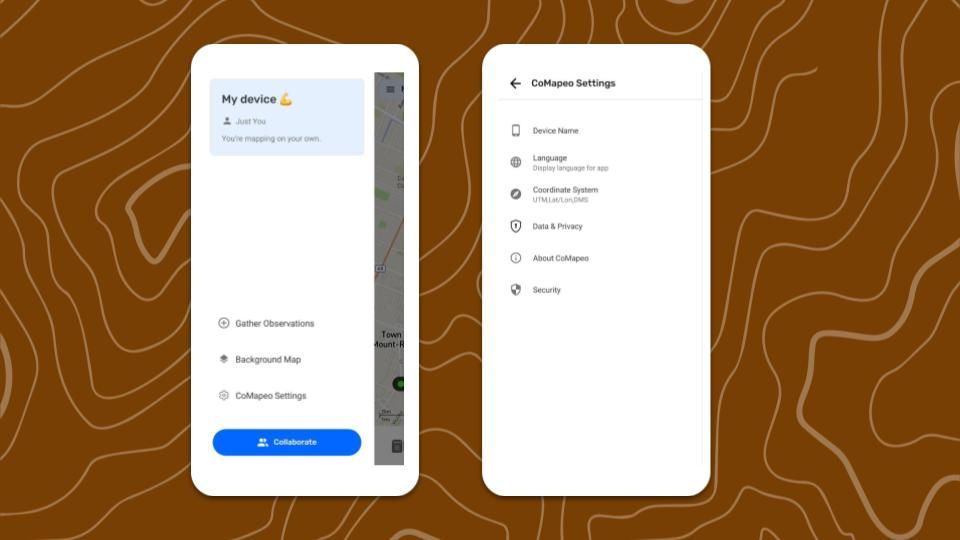
✔️  Main Menu
✔️  CoMapeo Settings
Features and Resources to Explore Next
✔️ Go to 🔗 Creating a New Observation
✔️ Go to 🔗 Exploring the Observations List
✔️ Go to 🔗 Creating a New Track
✔️ Go to 🔗 Planning & Preparing for a Project
✔️ Go to 🔗 Inviting Collaborators
CoMapeo Desktop at First Glance
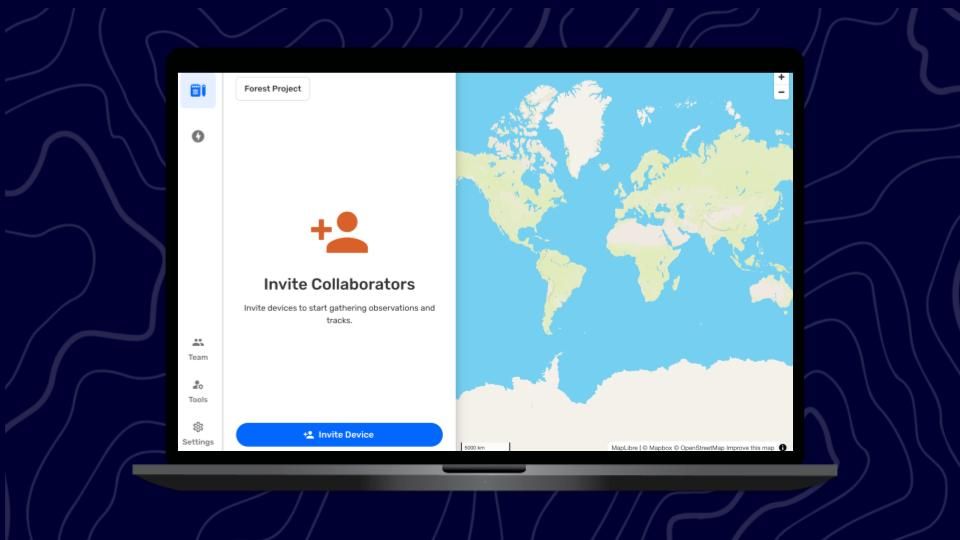
The map controls include zoom in (+) and zoom out (-) buttons. Pan around the map by clicking and dragging mouse in any direction.
Features to Explore First
✔️ Map screen
✔️ Main Menu (on the left)
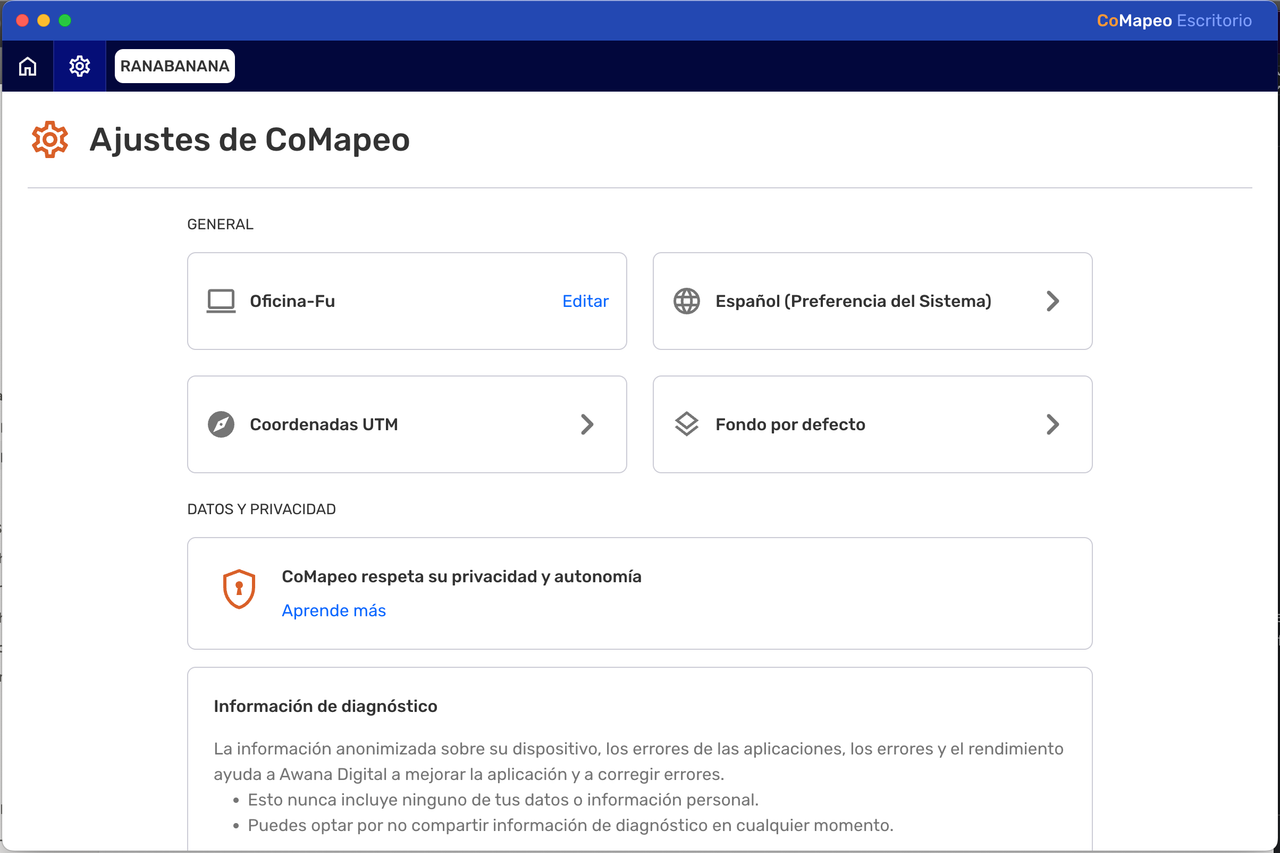
✔️ CoMapeo Settings
Features and Resources to Explore Next
✔️ Go to 🔗 Inviting Collaborators
✔️ Go to 🔗 Exploring the Observations List
✔️ Go to 🔗 Organizing Key Materials for Projects
CoMapeo Settings
 Device Name
The device is named as part of the onboarding process. Device names are displayed in CoMapeo collaboration features like inviting teammates to join a project and viewing teammates in a project. Device names cannot be changed by any other device. The only way to change a device name for use in CoMapeo is to edit it from this menu option on that same device.
 Language
Language options available may include languages with anywhere between 1% and 100% translations.
 Coordinate System
Choose one of the following options:
Select the Coordinate System option that is used most commonly in your context.
 Data & Privacy
Choose to opt in or opt out of sharing diagnostic data.
Go to 🔗 Adjusting Data Sharing & Privacy to learn more.
 About CoMapeo
View app version number and more details that may help with diagnostics when accessing technical support from the CoMapeo Help team.
 Security
Security tools to aid with physical security threats.
Go to 🔗 Using an App Passcode for Security to learn more.
Related Content
Go to 🔗 Uninstalling CoMapeo